Every penny in its place. And your finances in full bloom.
Split what you earn, let your goals fill themselves month after month, and watch your net worth climb. Vukassa walks you through it step by step — without asking for your bank login.
10 currencies supported:
- EUR
- USD
- GBP
- CHF
- SEK
- DKK
- NOK
- PLN
- RON
- TRY

Vukassa is on Google Play; the iPhone app is on its way to the App Store.
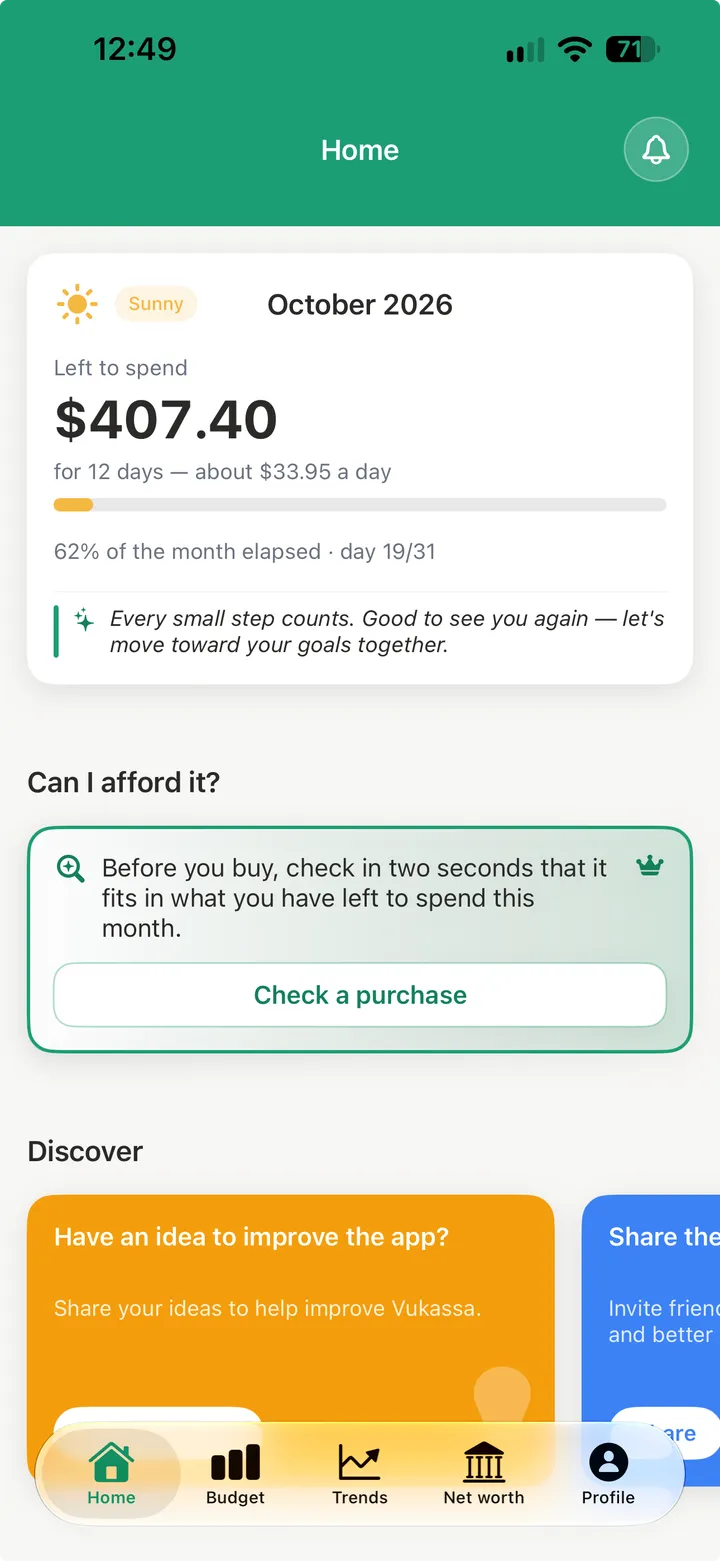
Three things worth knowing
No banking credentials asked
Vukassa does not ask for your bank login: nothing to intercept, nothing to revoke, nothing to keep an eye on. And it costs you no time — bank transaction import files your bank's export envelope by envelope, receipt scanning fills in an expense from a photo, and both happen on your phone.
Works offline
Everything is saved on your phone. On the underground, on a plane, on a flaky network: the app carries on, and everything goes out by itself as soon as the connection is back.
No advertising
No ads, no data resold. The Premium subscription is Vukassa's only business model.
Subscribing is what gives us the means to keep going. Thank you.
Your month, sorted — and guided all the way.
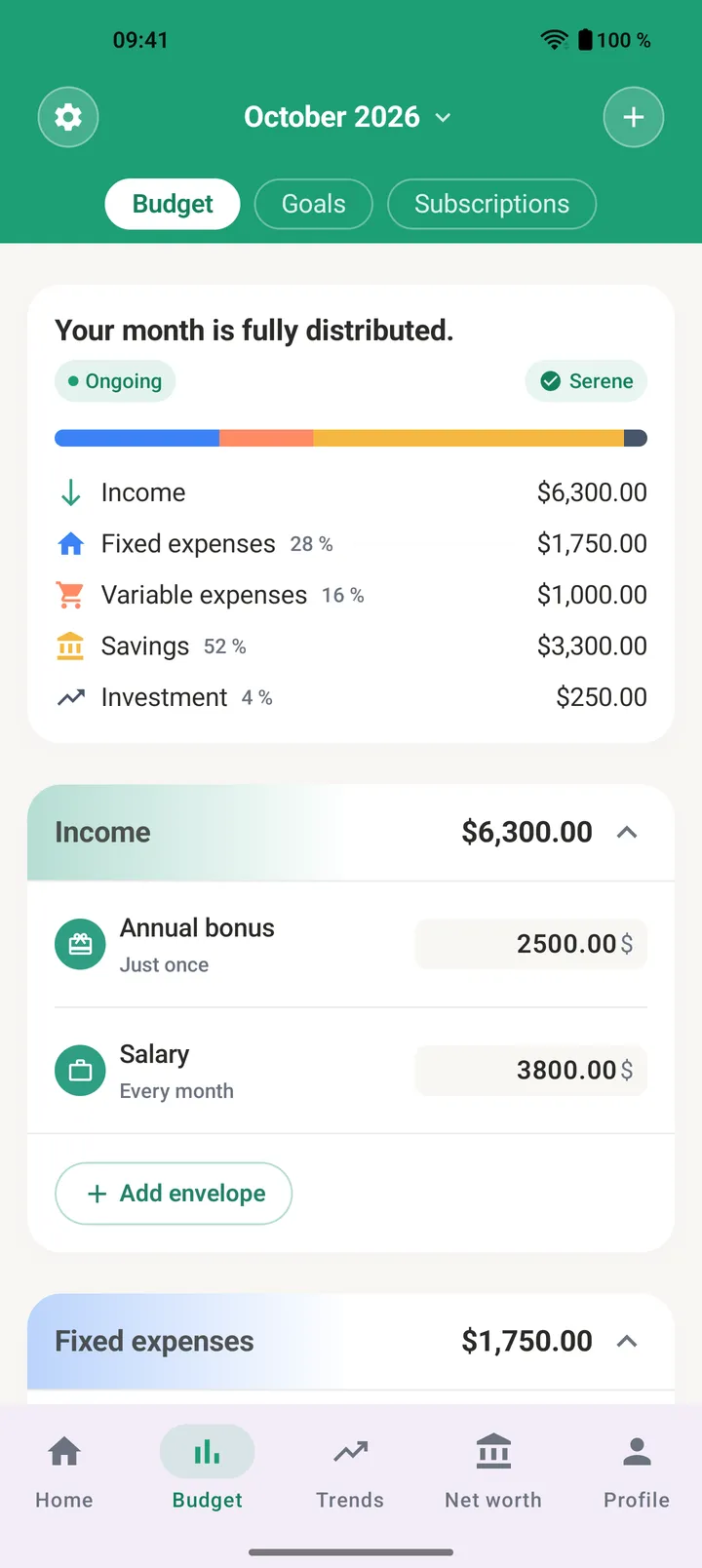
You split the month's income into envelopes — rent, groceries, transport, savings. And you are not on your own: a guide takes you step by step, suggests amounts based on what you earn, and keeps telling you what is left to place.
- Five categories, and as many envelopes as you need.
- A recurring envelope comes back every month, with nothing to re-enter.
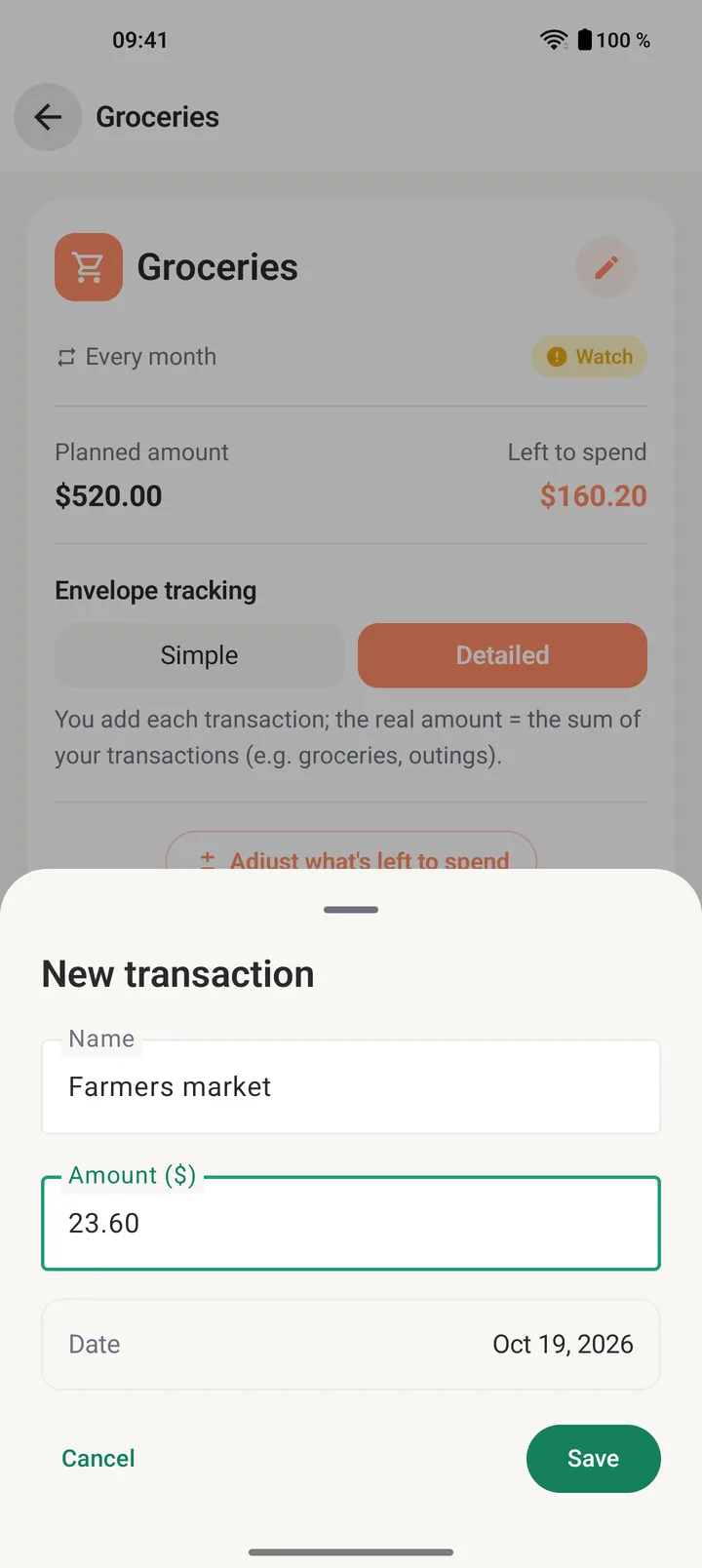
- Log your spending one line at a time to see exactly where your money goes.
No need to type everything in by hand.
Typing things in by hand is still there whenever you feel like it. The rest of the time, your bank's export or a photo of a receipt does the work: Vukassa fills it in, you check, you confirm.
- Premium
Import your bank transactions
Give Vukassa the CSV or Excel export from your bank. Each transaction joins an envelope, by your bank's categories or by merchant; the missing ones are created and filed under the most likely category.
- One template per bank: next time, your file is recognized and your choices are remembered.
- No duplicates when you re-import, and what you already entered by hand is set aside.
- You review everything before importing, and an import can be undone in one tap.
- Premium
Scan a receipt
One photo of the receipt and the expense fills itself in: merchant, amount and date. You check, you save.
The file and the photo never leave your phone: everything is read on it, nothing is sent to our servers.
Your goals fill up on their own, every month.
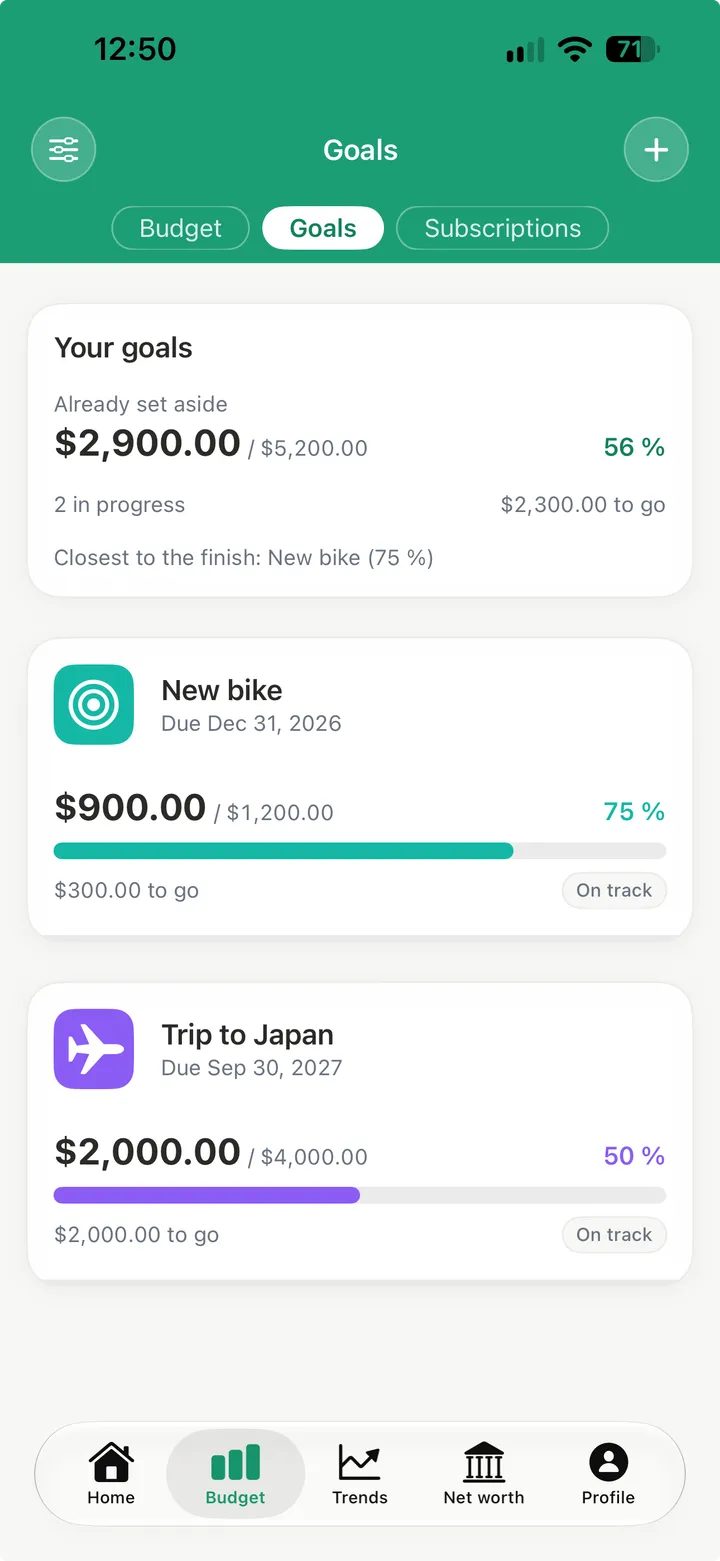
Creating a goal creates its savings envelope. Whatever you allocate to it each month adds up there: the progress you see is a real balance, never a number typed in by hand.
- The next holiday, a car, a home deposit: an amount, a date, and off you go.
- Every month the goal takes what you set aside for it in the budget. Nothing to type in.
- You always see where you stand and what is left to save.
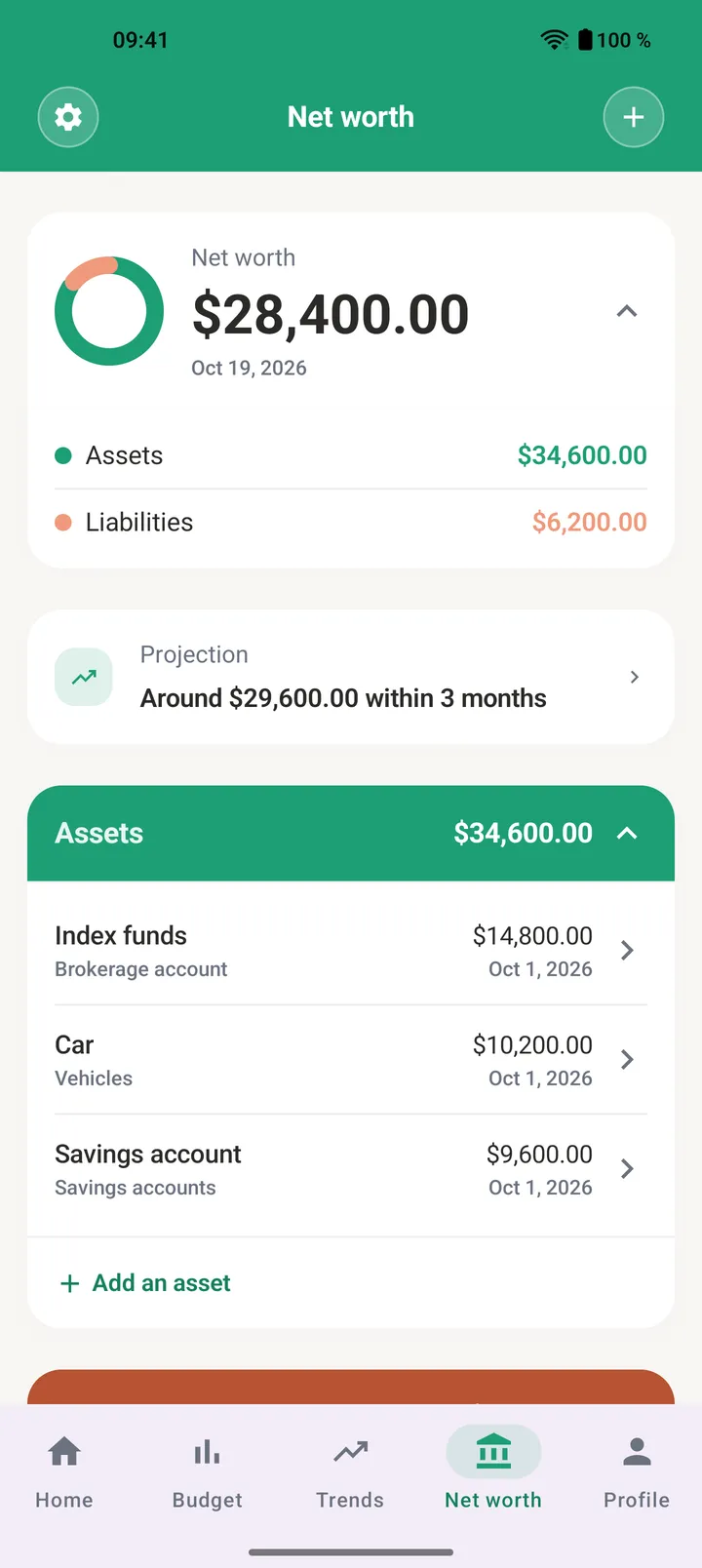
Your net worth grows, and you can see it.
What you set aside each month does not evaporate: it becomes net worth. List what you own and what you owe — savings, investments, car, loans — and Vukassa turns it into a single figure it follows over time. A budget you keep is a curve that climbs.
- Assets, liabilities, net worth: all three at a glance.
- Every entry joins the item's history — three per item on the free plan, the full history on Premium.
- The 3, 6 and 12-month projection shows where your current pace takes you. It is part of Premium.
Your money has habits. Trends shows them.
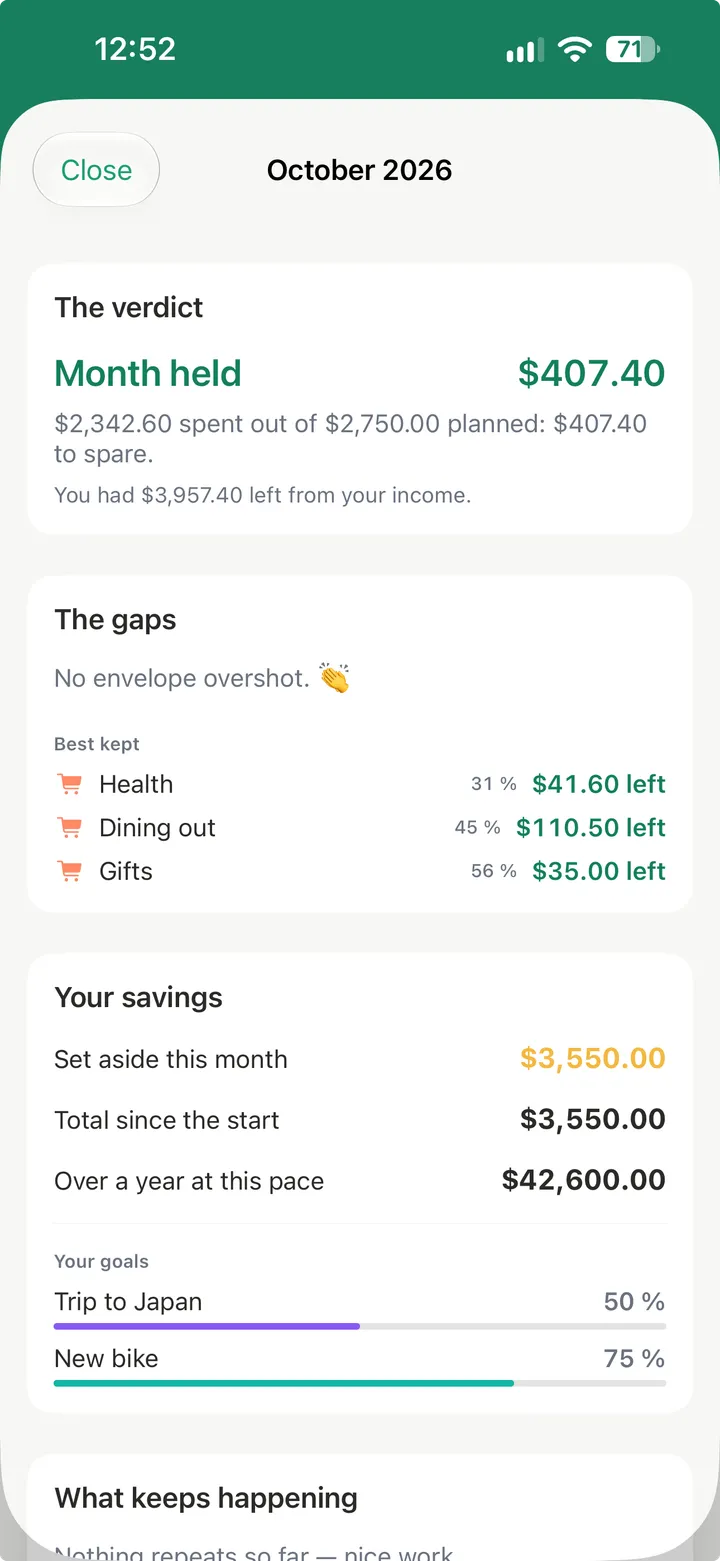
The Trends tab reads your budget for you: where each envelope stands, where your income goes, what comes back month after month. And every closed month gets its recap. The month at a glance and the latest recap are free; the rest of the tab is part of Premium.
- My envelopes this monthWhere each envelope stands, and which one runs out before month's end.
- My breakdownWhere your income goes, category by category, and what you set aside.
- My habitsWhen your money goes out: the biggest spending day and week of the month.
- What keeps happeningThe envelopes that overshoot month after month, and your savings trend.
- BenchmarksYour breakdown, measured against proven budgeting methods.
- My monthly recapsWhat each month taught you, once it was closed.
Tax set aside every time income comes in.
Set your rate once. On every payment received, Vukassa moves that share into a provision envelope nothing can spend — neither you nor the app.
- The set-aside follows your real income, up as well as down.
- The provision envelope is kept by the app, read-only.
- The automatic set-aside is part of Premium.
It works on the subway.
Your data lives on your phone first: the app opens and fills in with no network. Whatever you enter offline leaves on its own as soon as the connection is back.
- Reading and entering need no connection at all.
- Entries waiting to sync are counted on screen, then sent.
- The few actions that need the network say so; the rest carries on.
Free, in full, for good.
At Vukassa the free plan is not a demo that stops after two weeks: it is the product. The heart of the app — envelope budgeting — is unlimited there, and goals, net worth and subscriptions come with it.
Premium does not unlock the app: it adds depth. Time saved on data entry, a real read of your past months, a view of what is coming.
See the full comparisonWhat the free plan gives you
- Unlimited envelopes — the heart of the app
- No bank card, ever asked for
- No end date: free stays free
- Goals, net worth and subscriptions included
- No ads, and your data is never sold
The first month is Premium, on us
Every new account opens with 30 days of Premium, no card and nothing to cancel. After that, you carry on for free.
Frequently asked questions
What anyone is entitled to know before installing a budgeting app. Free trial, cancellation and purchase restore live on the Premium page.
Does Vukassa connect to my bank account?
No: Vukassa does not ask for your bank login, so there is nothing to intercept, nothing to revoke and nothing to keep an eye on. And you lose nothing in convenience — bank transaction import reads the CSV or Excel export your bank already gives you and files each transaction into the right envelope, receipt scanning fills in an expense from a photo, and both happen entirely on your phone: neither the file nor the photo ever reaches our servers.What exactly is envelope budgeting?
At the start of the month you split your income into envelopes: rent, groceries, transport, savings. Every expense empties its own envelope, so you always see what is left in each one instead of a single balance that says nothing about what is already committed. The split is yours: nothing is decided for you.Does Vukassa help me split my income?
Yes, and it is the heart of the app. A guide takes you step by step: your income first, then what does not change from month to month, then savings, then day-to-day spending. At each step it reminds you what is left to place, suggests amounts based on what you earn along with common envelope names, and warns you if you go past your income. Nothing is decided for you, and the guide hides itself as soon as you no longer need it.Does it work without a network?
Yes. Vukassa writes to your phone first, then syncs when the connection comes back. You can enter an expense on the underground or on a plane: nothing waits for the network to appear on screen, and nothing is lost on the way.How does Vukassa make money?
From the Premium subscription, and nothing else. There is no advertising in the app, no ad network in its code, and your data is neither sold nor rented to anyone.What do I get for free?
Envelope budgeting in full, with no cap on the number of envelopes, one budget template, thirty transactions entered per month, three active goals, two net worth items with three entries each, subscription tracking, and the current month plus the previous one in history. Premium lifts those limits and opens every monthly recap, the whole Trends tab, bank transaction import, receipt scanning, the shared budget and the projections. The full table is on the Premium page.Which phones does Vukassa run on?
On iPhone and on Android, from the versions listed on the Download page.Which currency?
Ten of them: euro, US dollar, British pound, Swiss franc, Swedish krona, Danish krone, Norwegian krone, Polish zloty, Romanian leu and Turkish lira. You pick yours when you build your first budget — Vukassa suggests one from your phone's region — and it applies to the whole space. It stays editable until you enter anything, then it is fixed: there is no conversion and no exchange rate in the app. The amounts on the screens shown on this site are an example.I am freelance — is Vukassa for me?
There is a Freelance profile, and its one specificity in V1 is the tax provision: on every payment you receive, the percentage you set goes into a dedicated envelope that nothing can spend by mistake. It is part of Premium. More features aimed at self-employed people are planned — and if one is missing for you, tell us from inside the app: your ideas decide the order.How do I suggest an idea to Vukassa?
From the home screen of the app: a “Suggest an idea” card opens a short form — a title, a few lines — and sends it straight to the team. Every idea is read. Vukassa is built with the people who use it, and a good part of what exists today came from there.How do I delete my account and my data?
From the app, in your profile: deleting closes the account and starts the erasure of your data. The Data usage page spells out what goes, how soon, and the little that the law requires us to keep.Does Vukassa tell me what to do with my money?
No. Vukassa shows where your money goes and helps you decide; it recommends no investment, no loan, no financial product. It is not an investment advice service, and the terms of use say so in as many words.Which languages?
In thirteen languages: French, English, German, Spanish, Italian, Dutch, Swedish, Danish, Norwegian, Finnish, Polish, Turkish and Romanian. The app opens in your phone's language when it serves it, in English otherwise, and you can change it at any time from your profile. The site is changed in the footer.
Your question is not here? Write to us: picking a topic drafts the message, and a human answer comes back.
Contact usStart your first budget
Split it, track it, adjust it. Vukassa handles the arithmetic, you keep the decisions.
Free to start, no banking credentials asked, and your data stays deletable at any time.